A meeting tool that had to work inside PowerApps' limits

Note: to comply with NDA, all visuals shown are white-labeled recreations using realistic placeholder data.
Bayer CropScience's internal team was manually logging agreements and tasks during daily meetings — administrative friction that pulled time away from actual strategic work. They needed a digital solution built inside their existing Microsoft PowerApps ecosystem, working flawlessly across desktop, iPad, and phone.
PowerApps has strict native limits for custom UI. To stay feasible without sacrificing usability, I designed a modular layout that adapts by logical proximity rather than by breakpoint tricks.
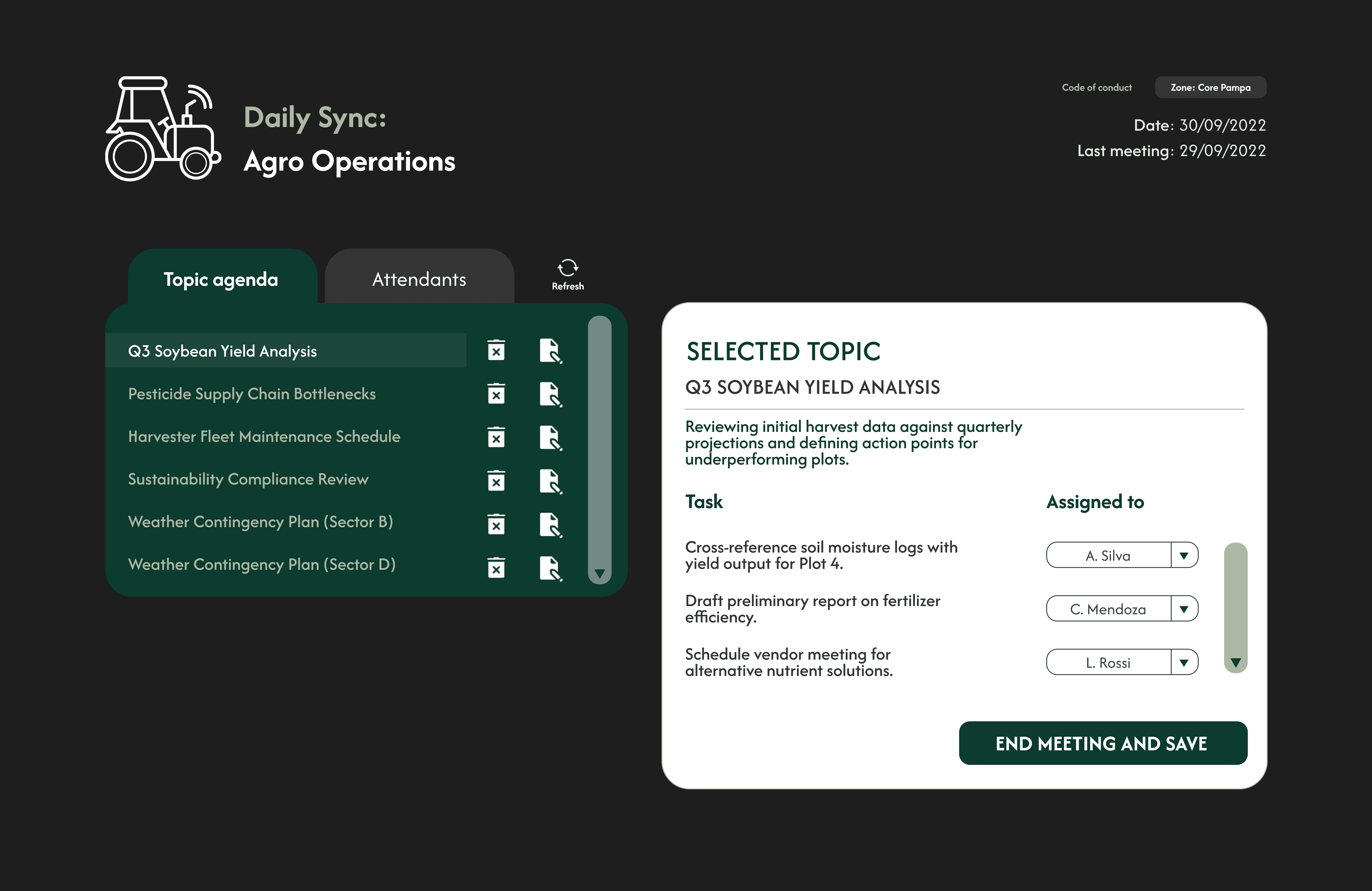
Desktop — side-by-side
Using the ultrawide space, navigation sits on the left and the active workspace on the right. Placing the primary call-to-action inside the task card itself resolved visual tension and made task assignment feel ergonomic rather than buried.
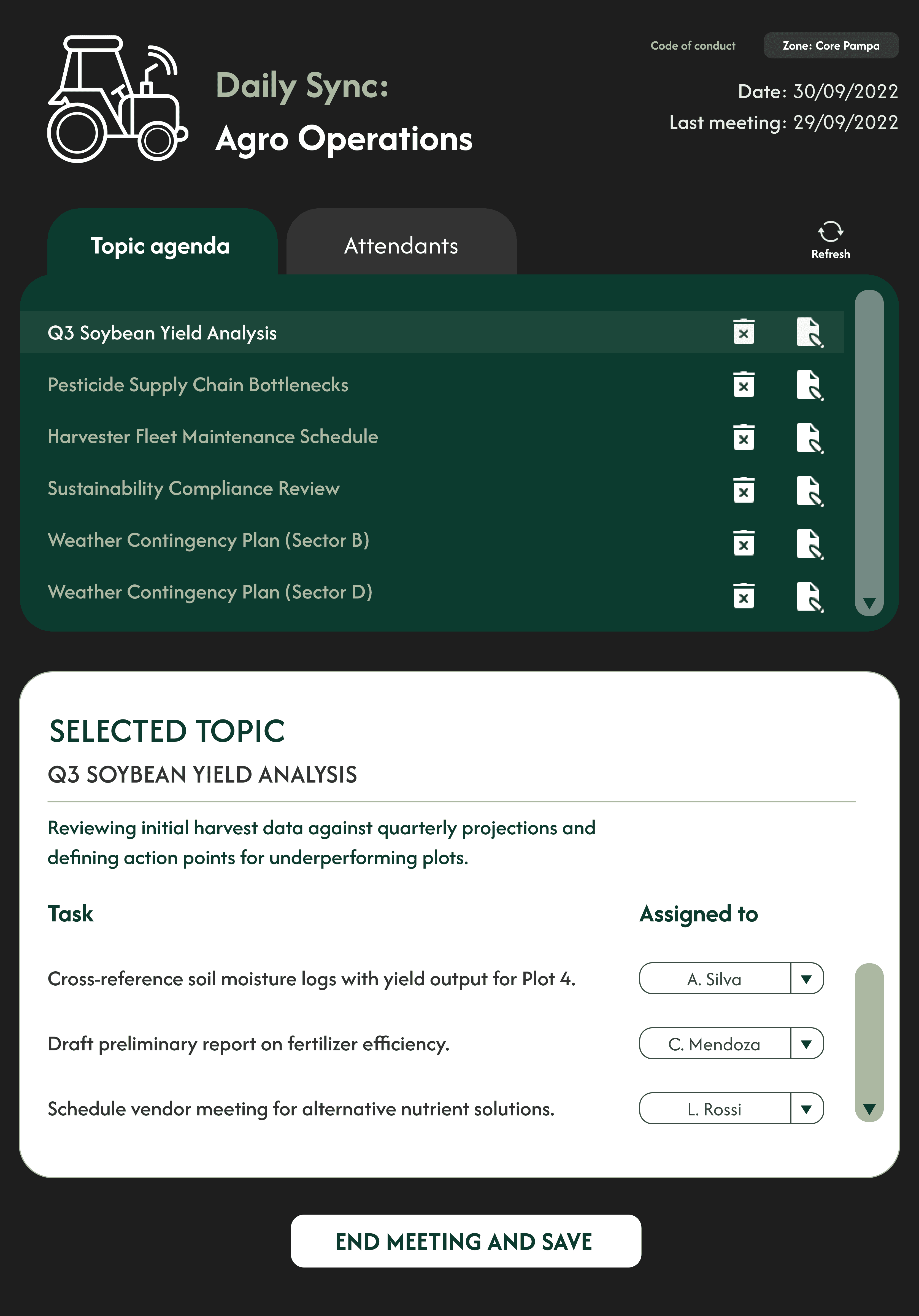
iPad — split view
For tablet, the architecture stacks cleanly. A strong active state on the selected topic keeps a clear visual line between the agenda list above and the detailed action items below.
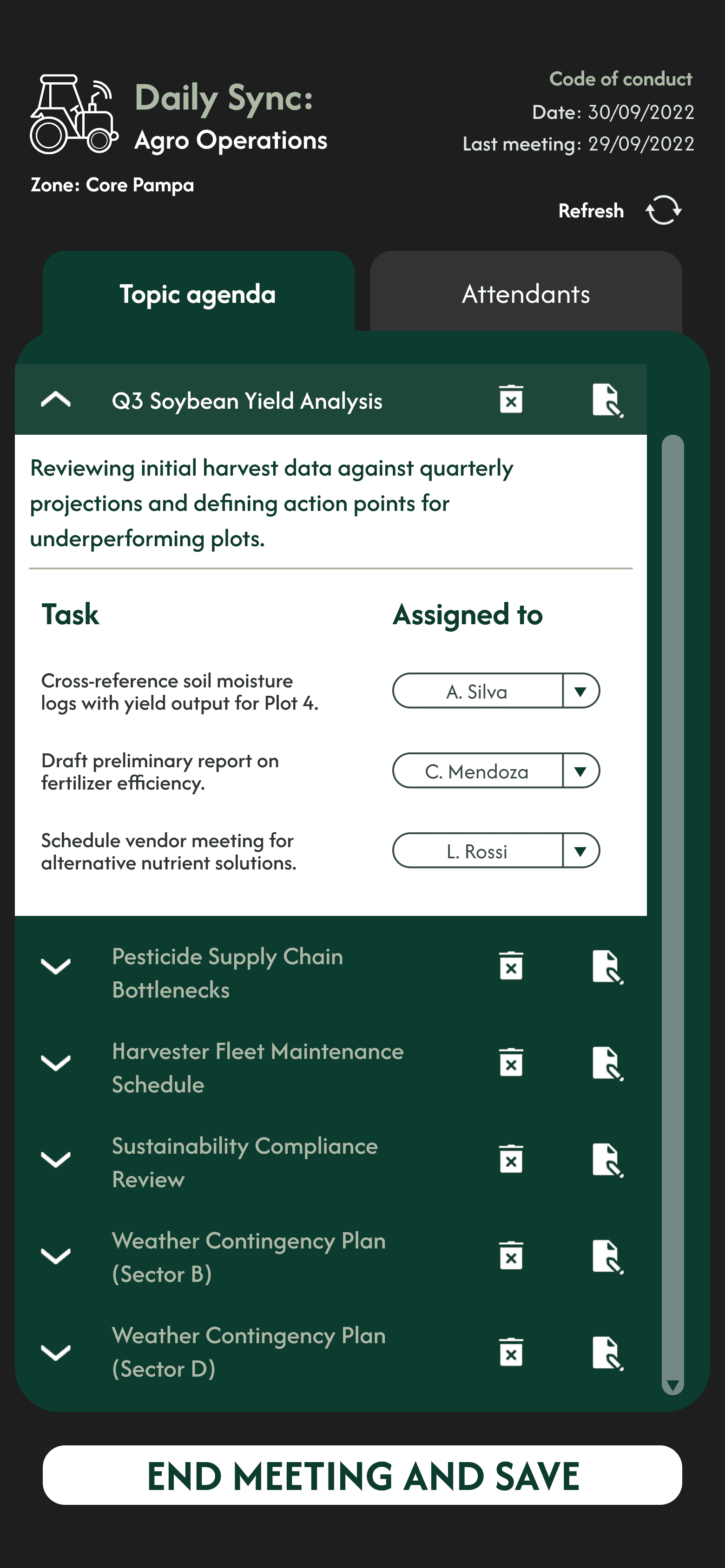
The real technical hurdle was fitting desktop-level complexity onto a phone screen without forcing users through nested menus.
The accordion pattern
I replaced the split-view with an expandable list — tapping an agenda topic expands the card inline to reveal task details and assignment dropdowns, keeping context in one place instead of splitting it across screens.
Mobile ergonomics
Interactive elements got proper spacing for touch targets to cut error rates, and a sticky save button stayed anchored to the bottom of the screen regardless of scroll depth — so the primary action was always one thumb-reach away.
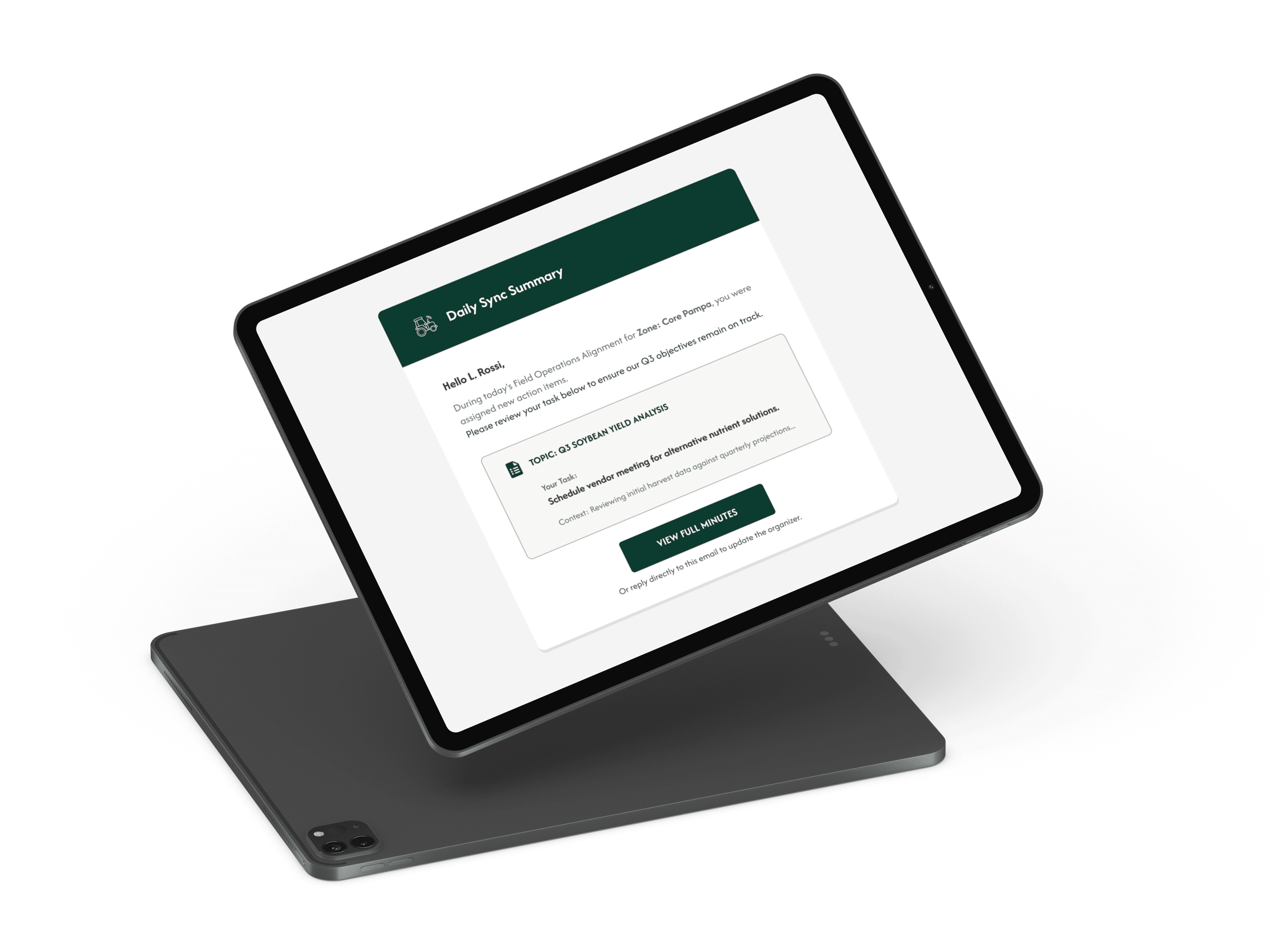
Removing friction meant the system also had to distribute tasks automatically, so accountability didn't depend on someone remembering to follow up.
Once the organizer hits save, the system triggers a transactional email to every assigned team member. The email itself uses strict optical alignment to strip out visual noise, highlighting the specific task and its context, with one clear call-to-action bridging the inbox back into PowerApps.
After a smooth handover and only minor layout adjustments following moderated remote testing, the tool shipped to production.
Manual meeting logs — the process moved fully into the tool.
Platforms supported from one adaptive architecture: desktop, iPad, phone.
Team-reported efficiency, freeing hours for actual decision-making.